Settings
The settings screen pane by pane — how big the type is, what a new chat opens with, which chats keep running, and whether this machine is well.
The settings tile is two lists in one screen: what this fleet is wired to,
and how the panel behaves. Every pane is in the address — #/settings/providers/claude-code —
so a reload lands where you were.
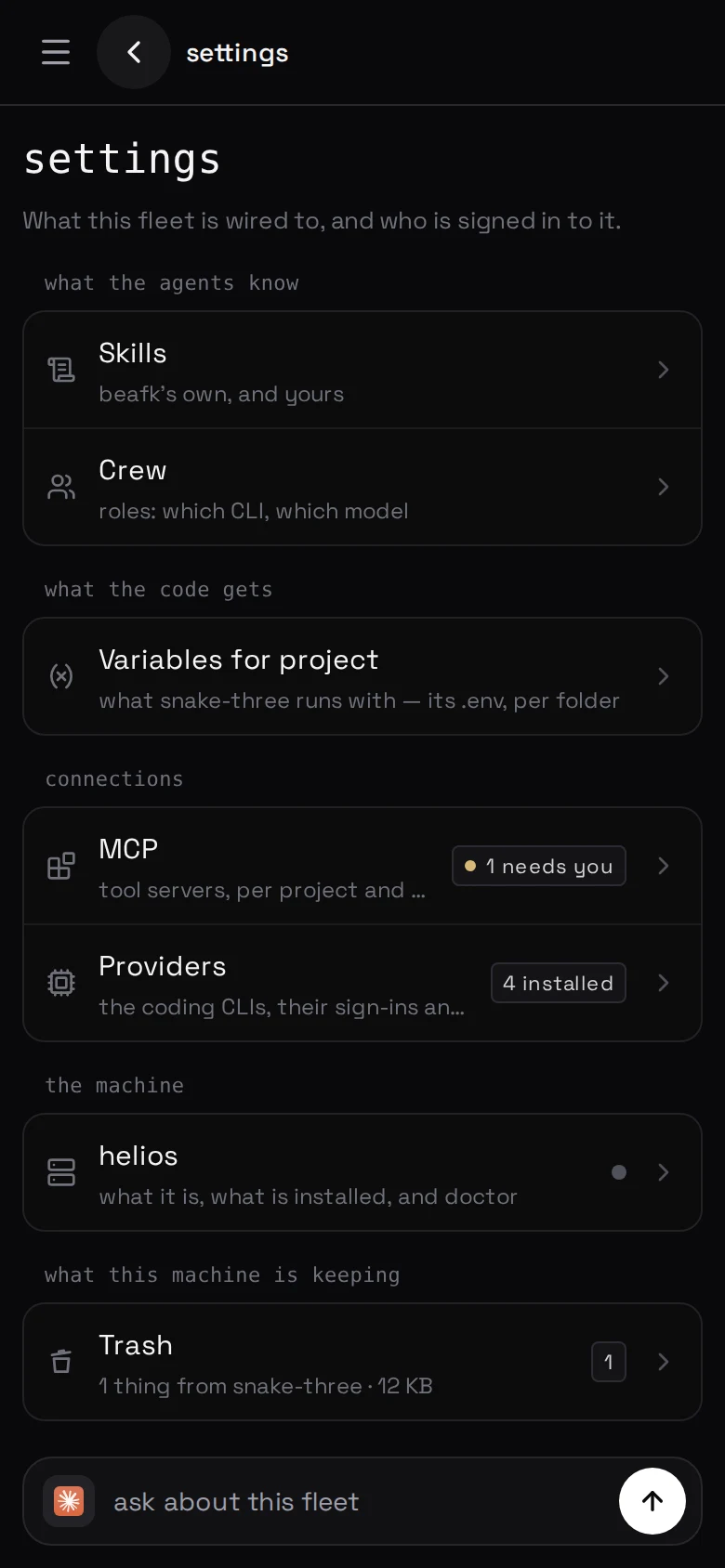
What is on the menu
- Skills — beafk's pages and yours: skills.
- Crew — roles, with a CLI and a model:
writing a role.
- Variables for project — this folder's
.env: variables.
- Providers — the CLIs and their sign-ins:
signing an agent in.
- Trash — what you deleted: the trash.
- This machine and Behaviour — below.
Tool servers moved to the plugins tile: tool servers.
Where this machine's access events are sent is named in the cabinet, not
here — telemetry.
Behaviour
Each group carries a tag saying whose setting it is: this device, or the
machine by name. There is no Save on this screen.
This device:
- Reading — six steps, from tighter — more on screen to roomier — less
on screen. It moves the text of a chat and the names on the shelf,
and nothing a finger aims at.
- Follows the file manager — two switches: the shelf above the composer,
and the sidebar behind ☰. Each then carries only the chats that run in the
folders on screen.
- The chat — keep every chat you write to, so sending a message puts it on
the shelf; and follow the reply as it is written.
- What the chat opens with — three blocks in a turn, folded or open: ⋯ the
work, ∴ the thinking, ± the hunk a change wrote.
- Chats kept on this device — how much of this device's disk the cache may
use, with what it is holding now written under it.
The machine, for every device that opens it:
- What agents do in the chat — three built-in skills as switches: post
pictures in the chat, sketch a screen before building it, and
hold the files an agent is editing. Each is also on
that skill's own page, under Skills → built in.
- Chats kept running — how many chats you have left keep their agent running
rather than starting it again when you open them.
- Collected after — a chat that has finished nothing in that long is
stopped, however busy it says it is.
This machine
What the box is, what is on it, and whether it is well. With more than one
machine connected, the pane opens on the list.
- What it is — its status, its host, its tailscale address, and the agent
CLIs it is registered with.
- What is going on in it — how many files the agents in this folder have
taken, and the way through to the board. See
two agents, one file.
- What is installed — the agent CLIs the machine found when it looked at
itself, marked installed with a version, not registered, or not
installed. One it does not know about yet is adopted with import agents.
- Is it well — Run doctor reads the machine and says what it found:
every check by name with its verdict. Nothing is changed by it.
Every pane keeps a chat
The bottom of a settings screen is a composer, folded away until you want it,
with a chip or two offering what is worth asking here.
It is one chat per screen, and per thing on the screen: what is wrong
with one tool server and which CLI is not signed in are two jobs, and a
half-written sentence about one is not handed to the other. It is given no file
to work from — what it carries is where you are standing, the machine, the
folder, the screen and the one thing on it, and the name of beafk's own
procedure page for that job.
Four screens bring a chat built for their own work instead: skills and crew
write pages, tool servers wires a server up, and variables edits .env files.
Come back later and the chat is not reopened for you: it is a chip, one
press.