Signing an agent in
From your phone, in settings → providers. A code, a browser, done — and the key never leaves the machine.
Installing an agent and signing it in are two different things. The install put
the tools on the machine; this is where they become yours.
You do it from the panel, on the machine's screen: settings → providers.
There is no need to go back to ssh.
What the screen shows
One row per agent: whose it is, the version it is on, how many tool servers it
gets, and — on any that is not signed in — a sign in chip, so the list
answers "is anything here waiting for me" at a glance and nothing else. A CLI
that is behind can be updated from its own page, without a terminal.
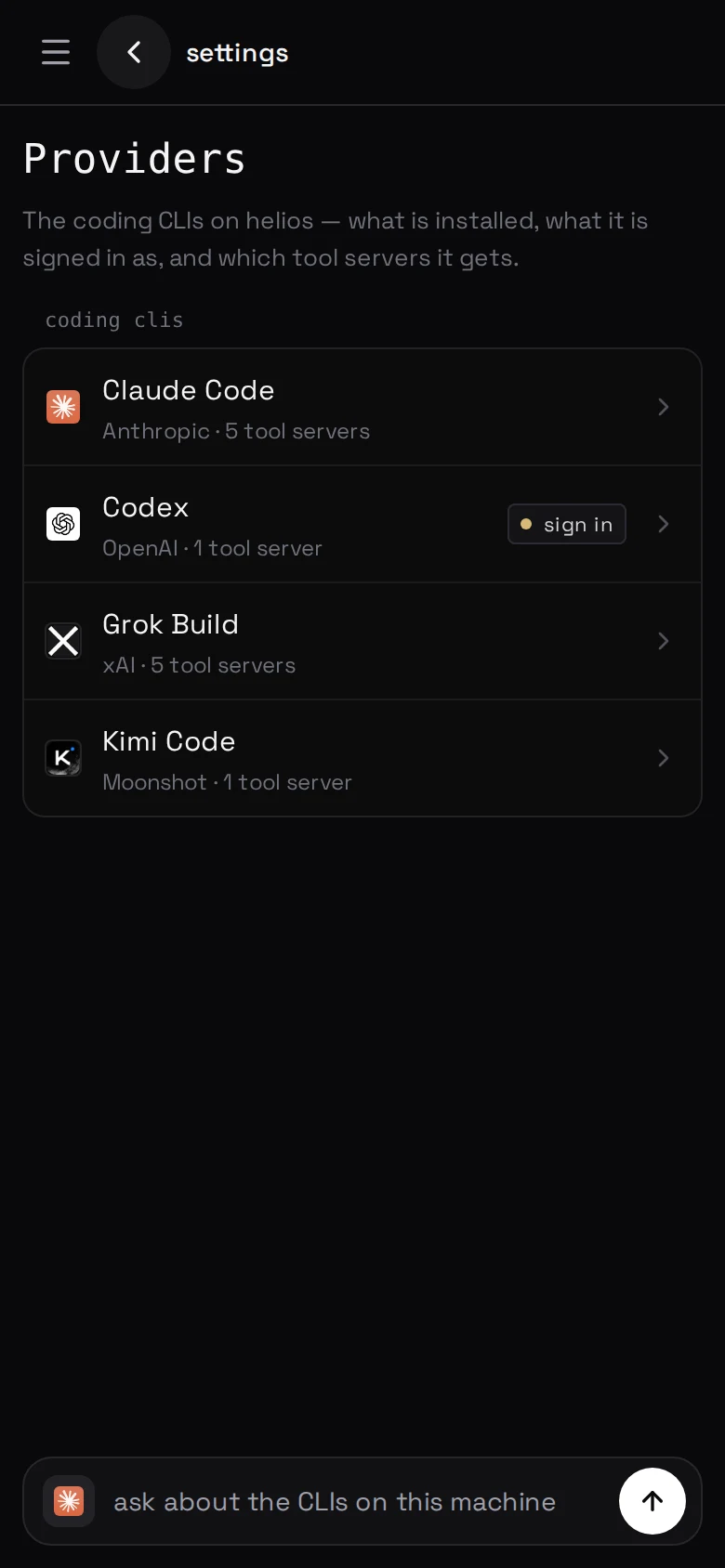
Everything about one CLI is on its own page, a tap away: whether it is
installed, whether the credential works, what the machine said while it was
being set up, and the two presses that undo either. The page opens with one
sentence saying which of those it is — Ready, Needs signing in, Not on
this machine — and one thing to press under it.
Signing one in
Tap the agent, then sign in. The machine runs that CLI's own sign-in command
and shows you what it printed, live, with the links in it pressable where the
CLI put them. Nothing is retyped or summarised: the words under what the
machine is saying are the CLI's, so a CLI that changes its instructions changes
what you read.
A device code — GPT, Grok, Kimi, Codex Security. The CLI prints
a URL and a short code; the code also gets a row of its own, large enough to
read off one phone while typing into another, and a tap on it copies. Open the
URL on any device, enter the code, approve it. The machine notices on its own
and the page turns — there is nothing to come back and press.
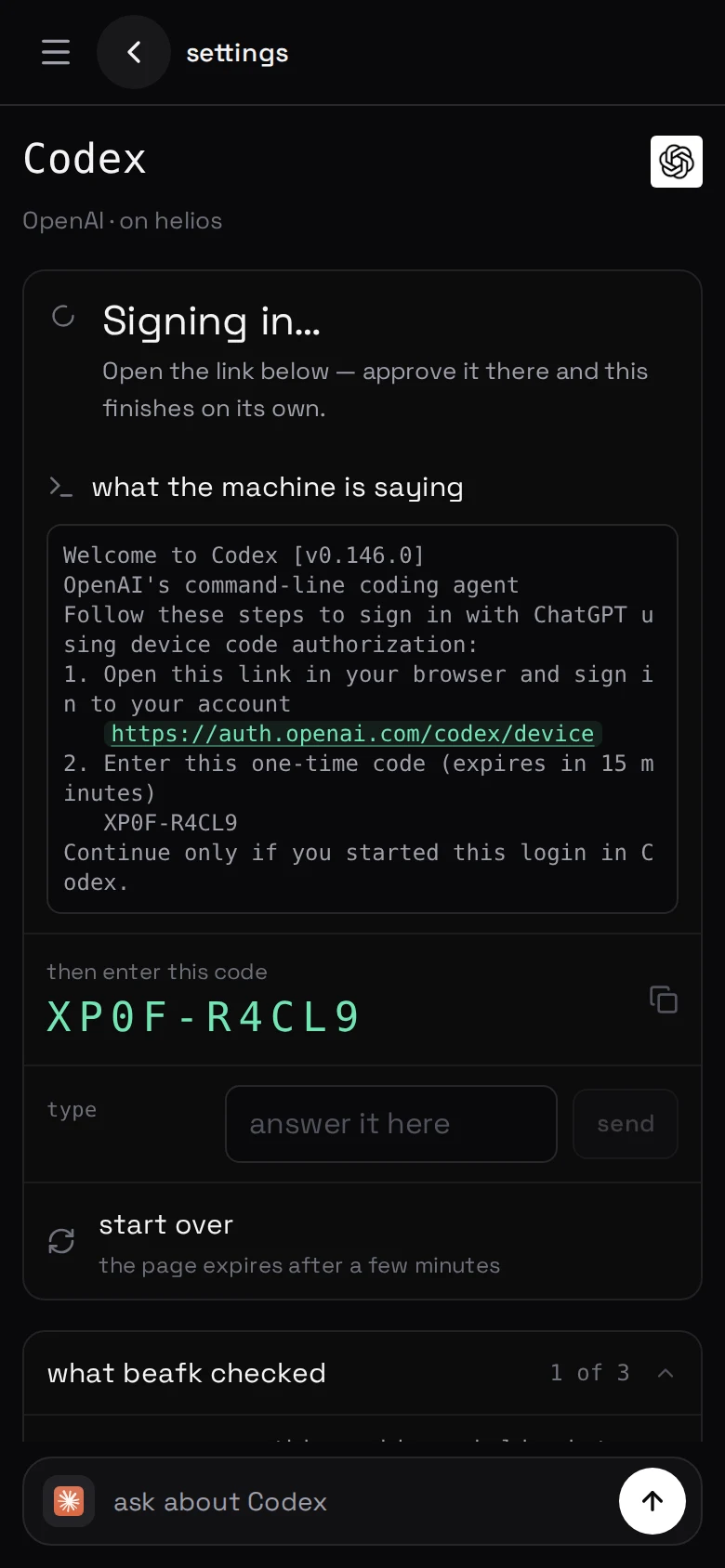
A code is good for a few minutes. If yours has expired, start over asks the
CLI for a fresh one.
A pasted code — Claude. The machine gives you a link, you sign in with
it, and the page hands back a code you type into the field at the bottom of the
sign-in.
An API key — Claude, GPT and Grok each accept one instead, if
you would rather use an API account than a subscription.
One thing that trips GPT up
GPT — the Codex CLI from OpenAI — signs in with a device code, and a ChatGPT
workspace ships with those switched off. If the account is in one, an owner
has to turn on "Enable device code authentication for Codex CLI" at
chatgpt.com/admin/permissions first.
Until they do, every code is refused without saying why. Personal accounts have
no such switch and are unaffected.
The panel says this on the screen, before you start.
Where the sign-in lives
On the machine, in the agent's own file — ~/.claude/.credentials.json,
~/.codex/auth.json, and so on — owned by the account the agents run as.
It never reaches us. The sign-in happens between your machine and
that agent's maker, and there is nothing about it in our database.
Signing out
At the foot of the same page, away from the path you walk to get the CLI
working. It runs that agent's own sign-out, then removes the credential file —
the file the panel reads, so the page then says the agent is signed out. Both
halves, because a sign-out command that fails quietly must not leave the panel
claiming success over a file still on disk.
Codex Security keeps its own sign-in, separate from GPT's, so signing one out
never takes the other with it.
Taking one off the machine
The other press down there, and it is the bigger one: take it off this
machine removes the binary and signs the CLI out, in that order — the
sign-out has to run while the CLI is still there to run it. Sessions stay;
they are transcripts, and nothing about them is a credential.
It is one press because "I am done with this agent here" is one decision.
Leaving the account behind was the alternative, and it meant a live token on a
machine whose screen said the CLI was not on it — and a reinstall that picked
that account back up without ever asking.
Several accounts
One account per agent per machine. If you want a work account and a personal
one, that is two machines. Which model that account then runs, and how much rope
it gets, is models, effort and permission.