Variables
Every project's secrets — its database URL, its keys, any credentials the .env holds — kept once per folder and per machine, delivered where they are needed, encrypted, and masked until you ask.
Every project needs a .env, and it usually lives on one person's laptop. beafk
keeps one per folder — plus one for the whole machine — and writes them
where they are needed.
Layers, and which one wins
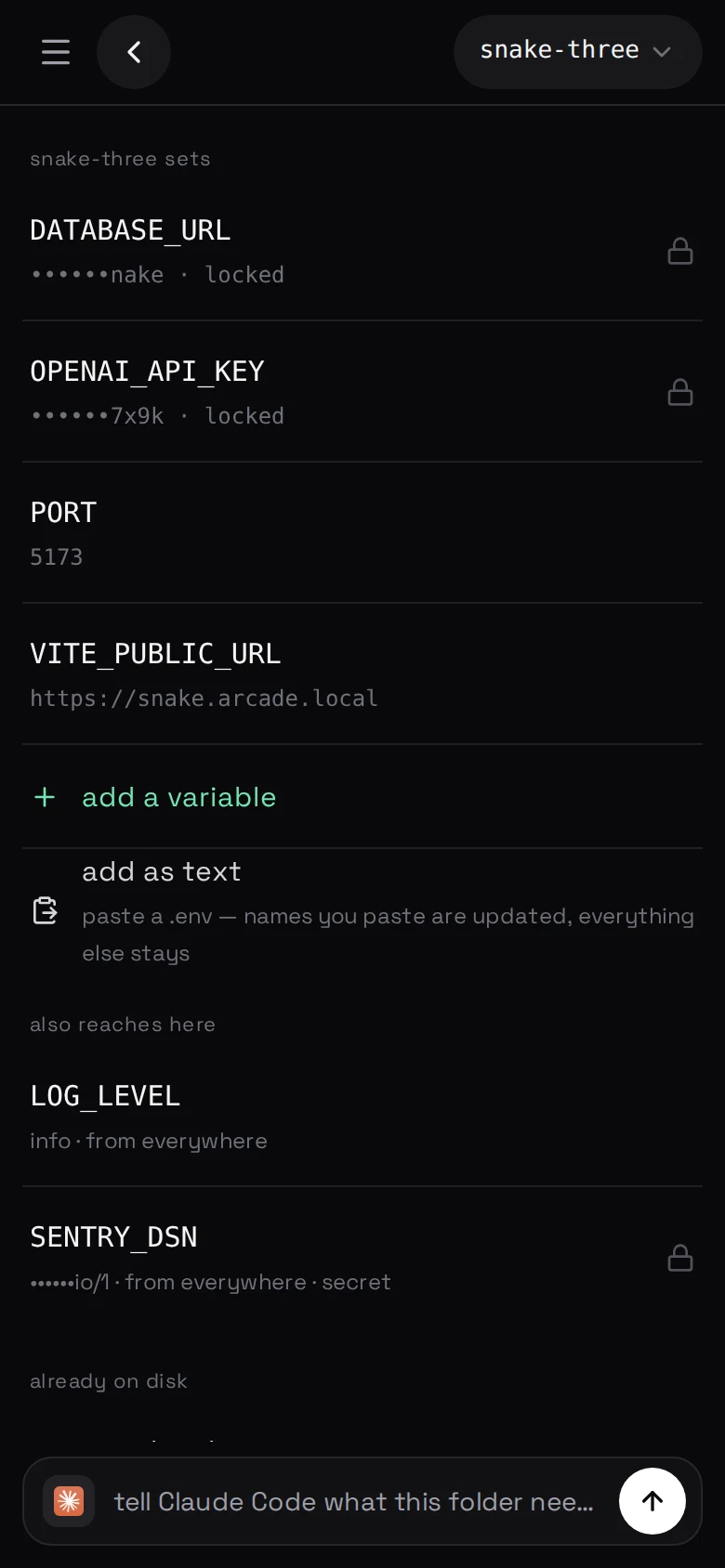
A setting on a folder reaches that folder and everything under it, and the
deeper one wins.
A monorepo package with its own PORT is not a special feature; it is a deeper
path. A LOG_LEVEL set on the machine reaches every project on it without being
written down four times.
The screen shows which layer a value came from, and which layers it is
shadowing, so "why is this not what I set" has an answer on the screen.
Adopting what you already have
A repository that predates beafk is one press: it finds the .env files where
they are and makes each one the layer for the folder it was already in.
.env.example is skipped. Other profiles — .env.staging and friends — are
listed and left alone.
beafk env adopt --all
Setting one
From the panel, or:
beafk env set DATABASE_URL=… PORT=3000     # this folder
beafk env set LOG_LEVEL=info --everywhere  # every project on this machine
beafk env explain PORT                     # which layer wins here, and what it shadows
beafk env sync                             # only if automatic delivery is off
set delivers as well as stores — it says "every shell here has it now" when it
has, and names what it could not do when it could not. sync is for the machine
where automatic delivery has been turned off.
Where they end up
Loaded by every chat, every terminal and every
command started in that folder — so the things that need them
have them, without a file being read into anybody's shell profile.
The .env file itself is optional
A folder does not get a .env written into it unless you ask for one, and
asking means saying what needs it — docker compose, a tool that takes a
--env-file, something outside beafk. Everything beafk starts in that folder
already has the variables, so the file's only remaining job is to put a live
credential inside a repository. A folder whose existing .env was adopted keeps
it.
When there is one, it gets the resolved set in a clearly marked block, with
.gitignore written first. beafk refuses outright to touch a .env that
git is already tracking, because writing secrets into a tracked file is how they
end up in a repository forever.
How they are kept
Encrypted at rest, delivered so that only the account that needs them can read
them, and masked everywhere in the panel and the CLI until you ask for one by
name.
The instructions agents read about variables open with never print a value —
an agent that dumps your environment into a chat has published it.
What this is not
It is not a secrets manager with rotation, versioning and audit. It is the
.env you already have, kept in one place instead of on one laptop, and
delivered to the machine that needs it.
One edit reaches every folder
--everywhere means what it says, and a value set high up reaches everything
that inherits it. If you are not sure what a change will do, run
beafk env explain <name> first — it tells you before rather than after.