Commands
The lines your project is run by, as buttons on a phone — kept in the repository, so every machine has them.
Every project is run by a handful of lines: the dev server, the build, the
tests, the deploy. You know them by heart on your laptop, and typing them on a
phone is miserable.
Commands is the tile that turns them into buttons.
What it looks like
One button per command, with a caption saying what it does. Press one and it
runs on the machine, in a pane that keeps its output — including after the
process ends, so you can read what happened.
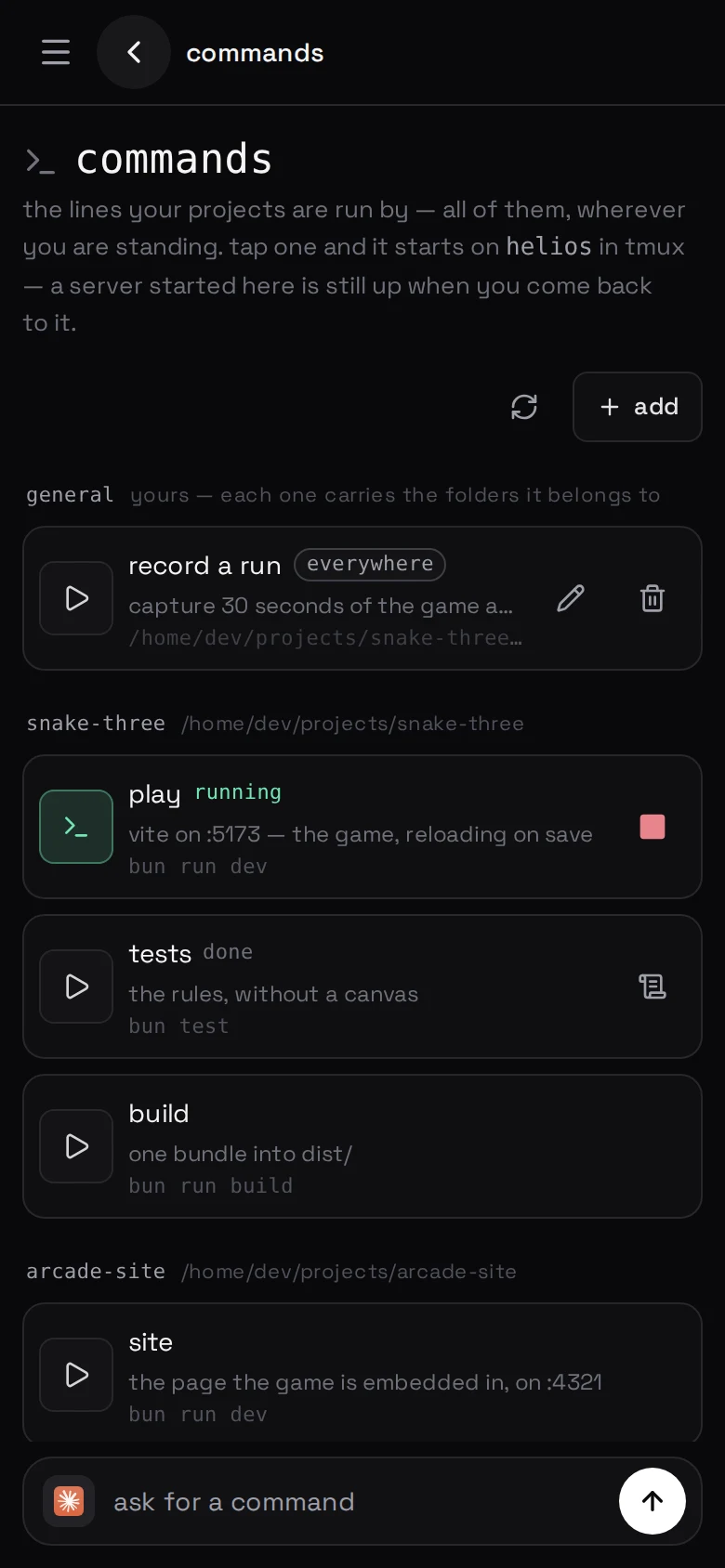
Long-running things (a dev server) stay running. You can come back to the pane
later and it is still there.
Where they live
.beafk/commands.json at the root of your repository, committed with the
code. Every machine that has the repository has the commands, a branch that
changes the build command changes the button with it, and the list is reviewed
like anything else.
Beside them the launcher lists general commands — rows you type into the
panel, kept in beafk's own database, belonging to you rather than to a
repository. They reach everywhere, or a handful of folders you name. Any command
runs from anywhere: the screen is a launcher, not a view of one folder.
{
  "commands": [
    {
      "name": "dev server",
      "description": "bun on :3000",
      "run": "bun run dev",
      "cwd": "web"
    }
  ]
}
- name — the button. Two commands may share a name; their panes may not,
so the second one's is numbered.
- description — one short line: what it does, not how.
- run — exactly one shell line.
- cwd — relative to the repository root, left out when it is the root.
Adding one
Ask an agent in that project: "add the deploy command to the launcher" is
enough. Every agent here can read the skill for it and will
write the entry the way the panel expects. The button is there the moment the
file is saved.
Or edit the file yourself. It is four fields.
What belongs on it
A command earns its place by being something a person types by hand and would be
annoyed to retype. Six is a lot.
Not on it: anything with a secret in the line — put it in
variables instead — and anything destructive that would be
one mis-tap away from running.
Variables
Commands run with the project's variables already loaded, so
DATABASE_URL is there without being in the line.