Usage
What the agents spent on a machine, by model.
The system tile is what the machine is doing now. Usage is what
already happened: where the tokens went.
Nothing here is a dollar amount. We do not resell tokens and we never see the
bill at Anthropic, OpenAI, Moonshot or xAI. What the screen shows is the count
each agent wrote down in its own log — input, output, cache — by model.
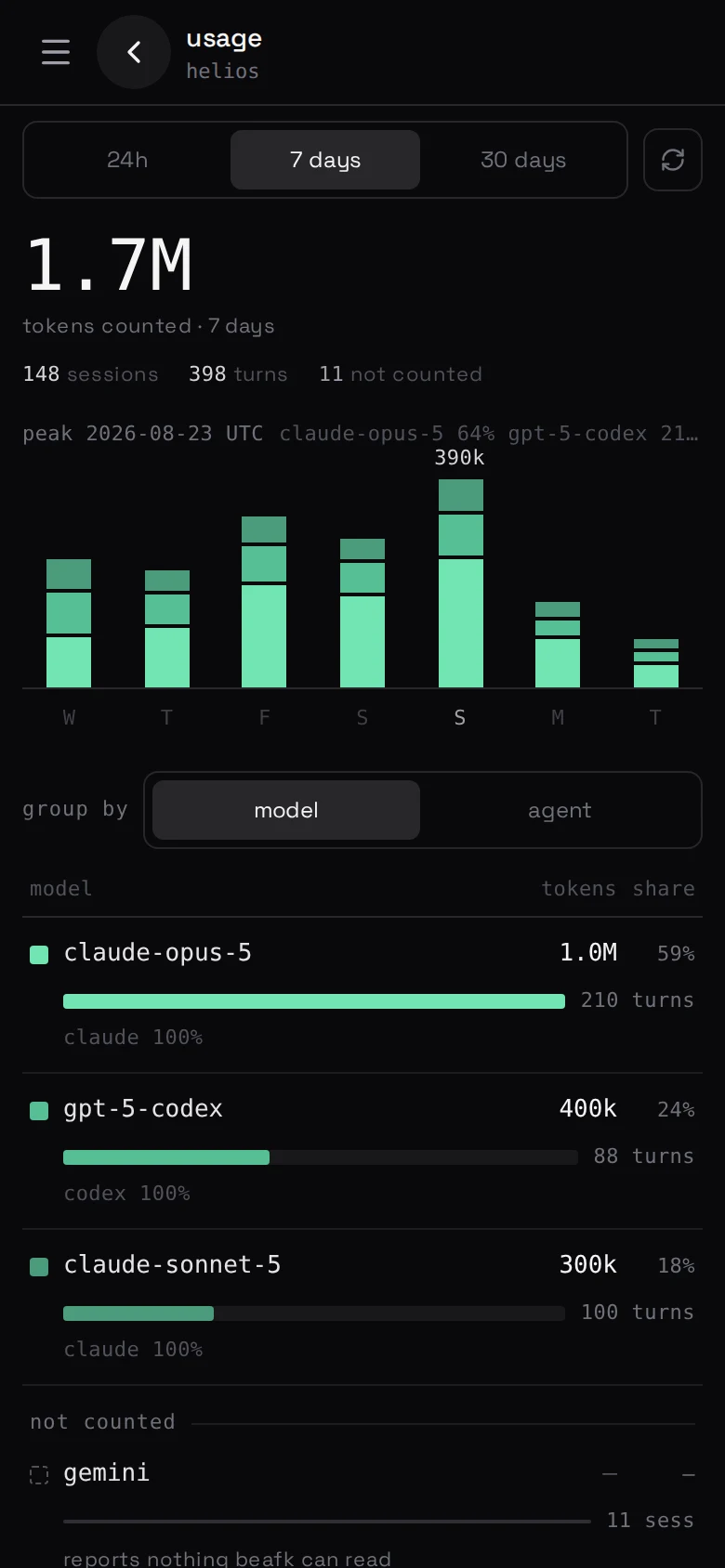
On the machine
Open the usage tile. Two objects and one control:
- a stacked plot across the top, one colour per model, brightest is biggest;
- a legend underneath that is also the table;
- a group-by that turns the same numbers into a reading by model (the
default), or by agent.
A day you tap becomes the column you are looking at. A gap is a dash, never a
zero: an agent whose log carries no counter is named below the rule, with a
sentence, rather than drawn as a quiet week.
There is no poll — one button rereads it.
What it is not
It is not your invoice from the model makers, and it is not beafk's bill.
beafk's bill is the machines on your plan, and a person is never a line on it —
see what it costs. What a turn cost in tokens is on this
screen; what it cost in money is on theirs.
For processor, memory and disk — the things that make a box feel slow — see
is the machine all right?.