Logs and timings
Everything the machine said and everything that took time, in one searchable store — filtered down to what one chat actually did.
Nothing is watching at 3am, so the machine keeps a record.
logs is one tile and one screen with two tabs, because it is one store with
two tables in it: logs, what the machine said, and traces, what took how
long.
What is in it
The machine's own journal, and every operation that took measurable time. Every
entry carries the machine and — when there is one — the agent and the
chat.
That last part is what makes it worth having. "What did this chat
actually do to the machine" is a filter rather than an afternoon.
Turning it on
The first time you open logs, the panel offers to install the store. It is
one program under ~/.beafk/clickhouse, and if you say no, nothing else
changes.
It is capped at ten gigabytes, and the cap is kept by dropping the oldest
hour — so a machine in a crash loop, which writes a thousand times its usual
volume, cannot fill its own disk.
Reading the logs
Type a word, choose a window, and narrow by machine, agent or chat.
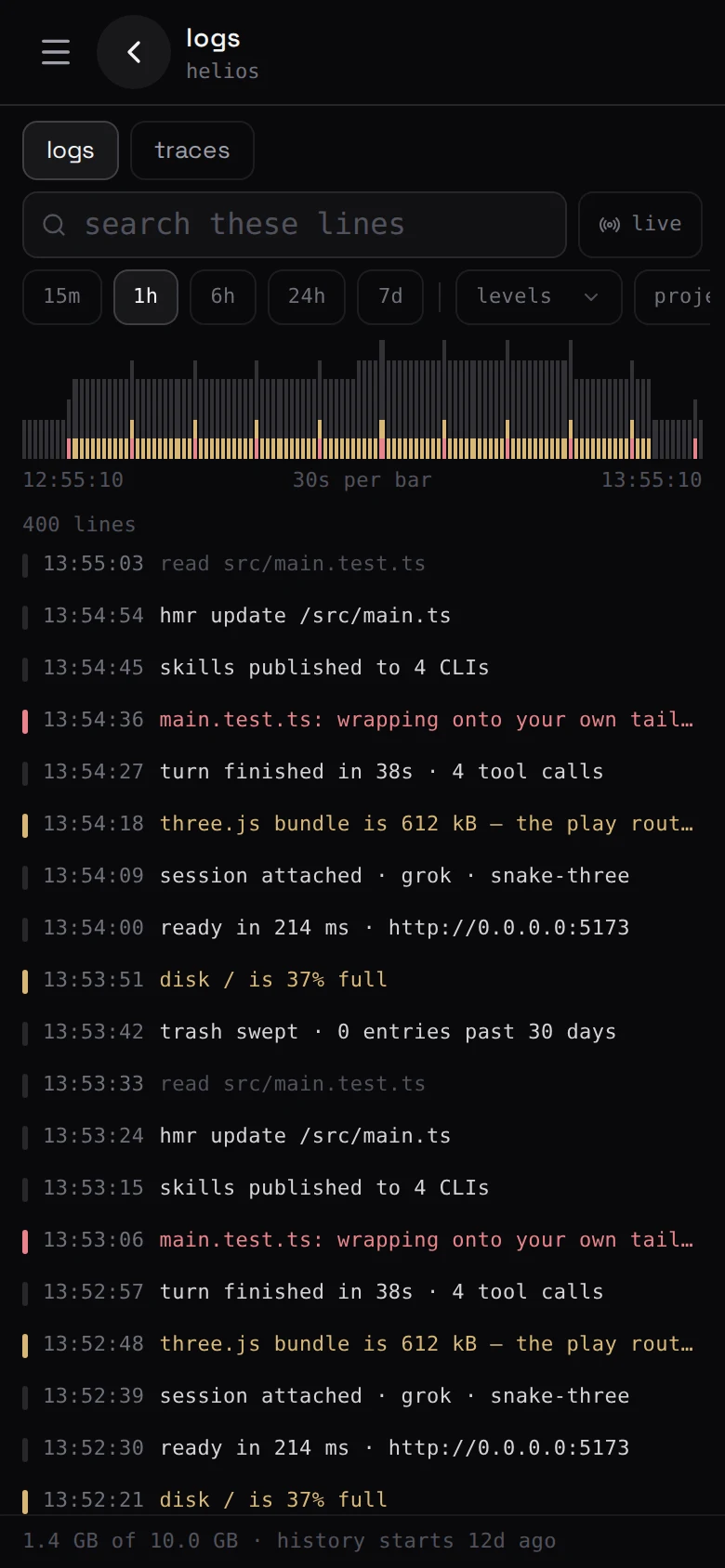
Times are your own — the clock on a row is the browser's wall clock, to the
second, and the date is on it only when the window you chose spans more than one
day. (beafk obs logs in a terminal still stamps UTC, which is where a
two-hour "lag" comes from if you are reading one beside the other.)
Reading the traces
The other tab is the answer to why was that so slow. Operations are grouped,
longest first, over the window you choose, each carrying the machine and — where
there is one — the agent and the chat. So you get from "something was
slow" to "this chat, this step" without guessing.
What you open it for:
- a chat that felt slow — which part of it actually was;
- a command that used to take ten seconds and now takes four minutes;
- an agent that seems stuck: is it thinking, or waiting on something?
- after a bad afternoon: what was happening at 02:14.
Two things it usually turns out to be. The first is the model: most of what
an agent spends is spent waiting for the thing it is talking to, and that draws
as one long span and nothing else. The second is the box. If several long
operations overlap and everything is slow at once, that is
is the machine all right? — a machine out of
memory looks exactly like an agent that has become stupid.
From a terminal
beafk obs logs -q refused --since 2h    # search what it said
beafk obs traces --since 1h             # what took how long
beafk obs traces --json                 # for something that will read it back
beafk obs status                        # is the store there, and what is in it
Agents read it too
Those are the same lines an agent on the machine uses. beafk hands every agent a
written procedure for this, so "find out why the deploy failed last night" is a
query rather than an archaeology project.
What is not in it
Your code, and the contents of your chats. This is a record of what the
machine did — processes, requests, timings, failures — not a copy of what was
said.
And none of it leaves the machine. We have no copy of any of this. What
a machine does send out, when your workspace names somewhere to send it, is a
narrower record — see telemetry.